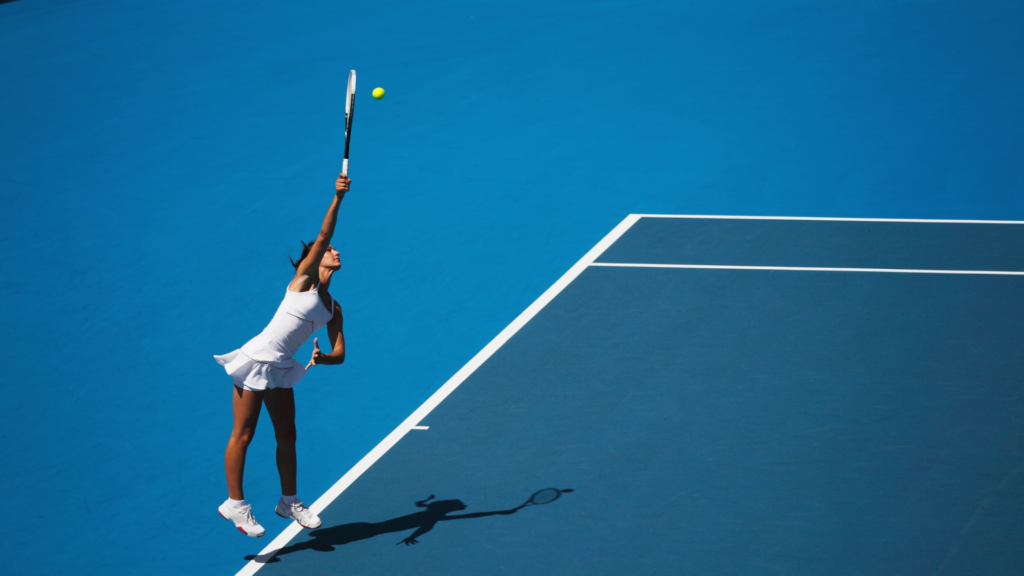
You can stream the 2026 US Open finals on ESPN, ABC, and the ESPN app. The women’s final is Saturday, September 12 at 4 p.m. ET on ESPN, and the men’s final is Sunday, September 13 at 2 p.m. ET on ABC. Any Greenlight fiber plan, starting at 350 Mbps, handles a 4K stream with room to spare.
Since 2011, Greenlight Networks has connected more than 100,000 homes and businesses across New York, Pennsylvania, and Maryland to 100% fiber internet. Whether you are watching in Buffalo, Rochester, Binghamton, the Capital Region, the Hudson Valley, Scranton, Wilkes-Barre, the Lehigh Valley, South Central Pennsylvania, or Baltimore, this guide has you covered. You will learn when to tune in, how to watch without cable, how much speed you actually need, and how to get strong Wi-Fi to every screen in the house.
Not on fiber yet? Check your address to see if Greenlight is available on your street and get symmetrical speeds in place before the next big match
When are the 2026 US Open finals?
The 2026 US Open women’s singles final is Saturday, September 12 at 4 p.m. ET on ESPN and ESPN Deportes. The men’s singles final is Sunday, September 13 at 2 p.m. ET on ABC, with a preview show starting at 1 p.m. ET. ESPN2 replays the men’s final at 9 p.m. ET Sunday night.
The main draw began on August 30 at the USTA Billie Jean King National Tennis Center in Queens, within a day’s drive of every Greenlight community. This year’s tournament offers a record $108 million in total player compensation. Each singles champion takes home $5.5 million.
Match
|
Date
|
Time (ET)
|
Channel
|
Men’s semifinals
|
Friday, Sept. 11
|
Evening
|
ESPN, ESPN app
|
Women’s singles final
|
Saturday, Sept. 12
|
4:00 p.m.
|
ESPN, ESPN Deportes
|
Men’s final preview show
|
Sunday, Sept. 13
|
1:00 p.m.
|
ABC
|
Men’s singles final
|
Sunday, Sept. 13
|
2:00 p.m.
|
ABC, ESPN Deportes
|
Men’s final encore
|
Sunday, Sept. 13
|
9:00 p.m.
|
ESPN2
|
How can I watch the US Open finals without cable?
You can watch the US Open finals without cable through an ESPN Unlimited subscription in the ESPN app, which streams every match from all 16 courts. The men’s final airs on ABC, so a TV antenna picks it up for free through your local ABC station. Live TV streaming services that carry ESPN and ABC also work.
ESPN Unlimited includes Multiview, which lets you watch up to four matches at once on supported phones and connected TVs. That feature is great during the early rounds, and it is also a bandwidth multiplier. Four simultaneous streams need four times the speed of one, which is where a fiber connection earns its keep.
Viewing option
|
What you get
|
Needs internet?
|
ESPN Unlimited (ESPN app)
|
Every match on all 16 courts, plus Multiview
|
Yes
|
Live TV streaming service with ESPN and ABC
|
Both finals, live
|
Yes
|
Cable or satellite login in the ESPN app
|
Both finals, live
|
Yes
|
Over-the-air antenna (your local ABC station)
|
Men’s final only, free
|
No
|
What channel is ABC in my Greenlight area?
The men’s final airs on your local ABC station, which is free with an over-the-air antenna. In Greenlight communities, that ranges from WKBW 7 in Buffalo and WTEN 10 in the Capital Region to WNEP 16 in Northeast Pennsylvania and WMAR 2 in Baltimore. Channel numbers can vary by town and cable lineup.
Greenlight area
|
Local ABC station
|
Rochester, NY
|
WHAM 13
|
Buffalo, NY
|
WKBW 7
|
Binghamton, NY
|
WIVT 34
|
Capital Region, NY
|
WTEN 10
|
Hudson Valley, NY
|
WABC 7 (varies by town)
|
Scranton and Wilkes-Barre, PA
|
WNEP 16
|
Lehigh Valley, PA
|
WPVI 6
|
South Central PA (Chambersburg)
|
WHTM 27
|
Baltimore, MD
|
WMAR 2
|
How much internet speed do I need to stream the US Open in 4K?
A single 4K sports stream needs about 25 Mbps, and an HD stream needs roughly 5 to 10 Mbps. A busy finals-day household with two TVs, several phones, and a video call can use close to 100 Mbps at once. Greenlight’s entry 350 Mbps plan covers that with more than 250 Mbps left over.
Greenlight's US Open Watch Party Bandwidth Budget
We mapped out what a typical Sunday watch party actually pulls from your connection during the men’s final. Here is the math for a household hosting six guests.
Device or activity
|
Count
|
Estimated download speed each
|
Total
|
Living room TV streaming the final in 4K
|
1
|
25 Mbps
|
25 Mbps
|
Second TV on the patio or in the basement, 4K
|
1
|
25 Mbps
|
25 Mbps
|
Guest phones checking scores, highlights, and social video
|
6
|
5 Mbps
|
30 Mbps
|
Video call with a relative watching from another city
|
1
|
4 Mbps
|
4 Mbps
|
Smart home devices and background updates
|
Varies
|
Varies
|
10 Mbps
|
Total peak demand
|
|
|
94 Mbps
|
Estimates based on common streaming guidelines. Actual usage varies by app, device, and resolution.
That 94 Mbps uses about 27% of a 350 Mbps Greenlight plan and less than 10% of the popular 1 Gig plan. Headroom matters because streaming apps automatically drop picture quality when bandwidth gets tight. Nobody wants a blurry screen on championship point.
Why does upload speed matter during a live match?
Upload speed matters because your guests are sending data out, not just pulling it in. Video calls, live social posts, and phones backing up photos to the cloud all use upload bandwidth. Many cable plans offer only 10 to 35 Mbps upload, even on plans with 300 to 1,000 Mbps download.
Greenlight fiber is symmetrical, so your upload speed matches your download speed. On a 1 Gig plan, you get 1,000 Mbps in both directions. A dozen phones posting clips from your living room will not slow down the TV stream.
Stream every match without the spinning wheel. See Greenlight plans and check availability for symmetrical fiber speeds from 350 Mbps up to 8 Gig, with no contracts and no data caps.
Why does Wi-Fi matter as much as internet speed?
Your internet plan delivers speed to your home, but Wi-Fi carries it to each screen. Walls, floors, distance, and dozens of connected devices all weaken a wireless signal. A fast fiber line paired with an outdated or poorly placed router can still buffer in the basement or on the back patio, which is exactly where many watch parties end up.
Wi-Fi transmits on two main frequencies, 2.4 GHz and 5 GHz. The 5 GHz band moves data faster but has a shorter range, while 2.4 GHz travels farther but more slowly. A modern router balances both bands automatically so each device gets the best connection available.
What is Greenlight Total Managed Wi-Fi?
Total Managed Wi-Fi is Greenlight’s whole-home Wi-Fi service. It includes a next-generation Nokia Wi-Fi 6 router optimized for Greenlight fiber, installation by local technicians who connect your devices, ongoing support, and a co-branded Nokia app to manage your network. You can add it to any Greenlight internet plan starting at $5 per month.
For larger homes, ask about mesh coverage. A mesh network places multiple access points around your home that talk to each other, giving you seamless coverage with more reach than a single router. That means the 4K stream on the patio TV looks just as sharp as the one in the living room.
Here is what Total Managed Wi-Fi includes:
A router built for fiber. The Nokia Wi-Fi 6 router is tuned for Greenlight’s network and automatically configures the fastest speeds for each device.
Local installation and support. Greenlight technicians set up your network and connect your devices so every screen is ready to go.
Easy network management. The co-branded Nokia app lets you see and manage your home network from your phone.
Support included. If you use your own router, Greenlight cannot guarantee in-home speeds. With Total Managed Wi-Fi, troubleshooting for your Nokia router is included.
Make every room match-point ready. Add Total Managed Wi-Fi and let a local Greenlight technician extend strong coverage to the living room, the basement, and the back patio
Why is fiber internet better than cable for streaming live sports?
Fiber internet sends data as light through glass strands, so speeds stay consistent even during busy evening hours when your neighbors are streaming too. Greenlight’s network is 100% fiber from the street into your home, with no copper anywhere in the connection. That means lower latency, matching upload speeds, and fewer mid-match slowdowns.
Data caps are another hidden problem for sports fans. A 4K stream at 25 Mbps uses about 11 GB of data per hour. The men’s final is best of five sets and can run four hours or more, which adds up to roughly 45 GB for a single TV. Greenlight does not impose data caps, so you can stream every round of every tournament without watching a meter.
Greenlight residential plans range from 350 Mbps to 8 Gig, with pricing that starts around $35 per month for 350 Mbps in many areas. Every plan is month to month with no contracts and no hidden fees. Plan offerings and pricing vary by region.
Frequently Asked Questions About Streaming the US Open
Is the 2026 US Open men's final on free TV?
Yes. The men’s final airs Sunday, September 13 at 2 p.m. ET on ABC, which you can watch for free with an over-the-air antenna. Your local ABC station carries it, from WKBW 7 in Buffalo to WMAR 2 in Baltimore. The women’s final on Saturday airs on ESPN, which requires a cable, satellite, or streaming subscription.
Can I watch more than one US Open match at the same time?
Yes. ESPN Unlimited subscribers can use Multiview to watch up to four matches at once on supported phones and connected TVs. Each additional stream adds to your bandwidth needs, so a fiber connection with plenty of headroom keeps every window sharp.
How much data does streaming the US Open final use?
A 4K stream uses about 11 GB of data per hour. A four-hour men’s final watched in 4K on one TV uses roughly 45 GB. Greenlight fiber plans have no data caps, so there are no overage charges for watching the whole tournament.
Do I need an 8 Gig plan to stream the US Open?
No. Greenlight’s 350 Mbps plan can handle several 4K streams at once with room to spare. Faster plans like 1 Gig and 8 Gig are best for large households with many heavy users, serious gamers, and content creators who upload large files.
How much does Greenlight Total Managed Wi-Fi cost?
Total Managed Wi-Fi starts at $5 per month and can be added to any Greenlight internet plan. The price varies by plan. It includes a Nokia Wi-Fi 6 router, professional installation, and local support from Greenlight.
Why is my US Open stream behind the live TV broadcast?
Streaming services encode and deliver video in small chunks, so an online stream often runs several seconds to a minute or more behind an over-the-air broadcast. That delay comes from the streaming service, not your internet connection. A fast, stable fiber connection keeps you from adding extra buffering delays on top of it.
Ready for Championship Weekend?
Two of the world’s best players meet Saturday, and an American man plays for the title on Sunday. Make sure your connection is ready for every serve, rally, and tiebreak. Greenlight brings 100% fiber internet and whole-home Wi-Fi to communities across New York, Pennsylvania, and Maryland.
Get the fastest seat in the house. Check your address to see if you can switch to Greenlight Fiber and Total Managed Wi-Fi